Praxia is built to catch three places a clinic can lose revenue: cancelled slots that stay empty, patients who quietly stop coming, and letters and claims that sit waiting.
Praxia is practice management for owners and practice managers of Australian allied health clinics, from solo practitioners to clinics of 20. It is in pilot, so the way to see it is a walkthrough with the founders, who will tell you honestly whether it fits yet.
The gapA cancelled slot stays empty.What Praxia doesPraxia can offer it to patients on your waitlist.
The gapPatients quietly stop coming.What Praxia doesA list shows which lapsed patients need a personal call, and why.
The gapLetters wait for a quiet hour.What Praxia doesPraxia drafts them, and a clinician reviews every one before it is sent.
The gapClaims and card payments sit in separate tools.What Praxia doesBoth run through Tyro Health in the pilot.
The gapSoftware built far from a clinic.What Praxia doesPraxia was built with a working clinic, and a Praxia operator sets it up with you.
A clinician reviews and approves every AI draft
Each clinic’s records are kept isolated from every other clinic’s. Some overseas service providers are used, and each is named in our privacy policy
Encrypted in transit and at rest
Staff see only what their job needs, and key actions are logged
Where clinics can lose revenue
Six places a clinic can leave revenue uncollected, and what Praxia is built to do about each
A busy diary can still leave revenue uncollected. Some of that revenue can sit in your patient list, your waitlist and your unsent paperwork, waiting for someone to get to it. Praxia is built around that work. Here is what it does, in plain terms. We have no outcome data, so we promise no results.
Leak 1 of 6
Empty slots
A cancelled slot is paid for by nobody.
Praxia can offer a freed-up slot to patients on your waitlist, so a cancelled slot has a way to be offered on. Appointments booked on your clinic calendars flow in as visit records, and cancellations and reschedules sync. Waitlist offers run when a cancellation opens a slot.
Patients who have stopped coming are grouped by time since their last visit, using rules your clinic sets. A list shows staff which lapsed patients need a personal call, and why. Recall and reactivation are being switched on with pilot clinics, and Praxia records every patient’s opt-outs.
Praxia can draft a first-pass letter to a patient’s treating physician. Nothing is sent until a clinician has reviewed it. Notes autosave, and patients complete intake forms online before they arrive.
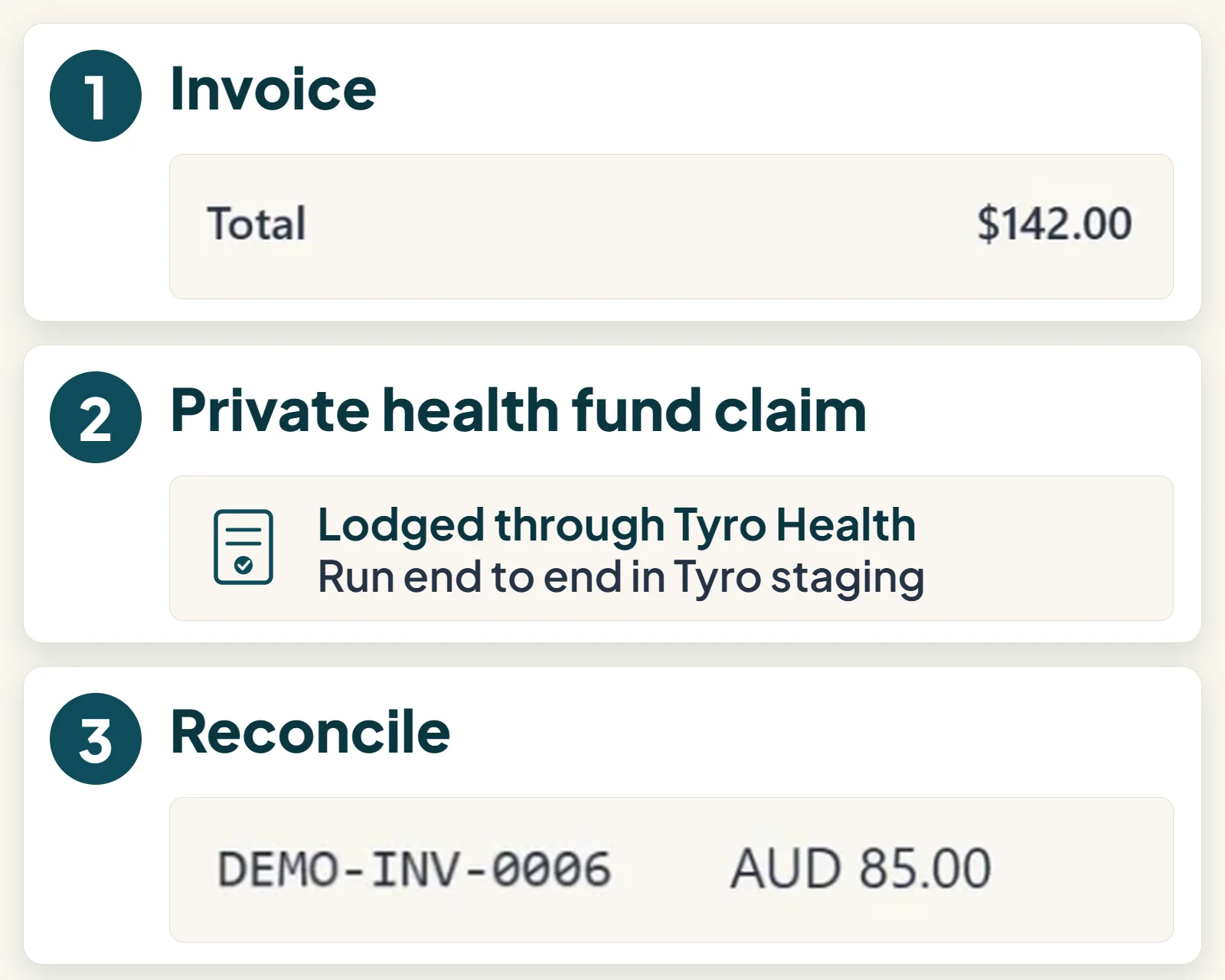
Private health fund claiming and card payments at the front desk both run through Tyro Health, in the pilot. Claiming has been built and run end to end on Tyro’s staging environment.
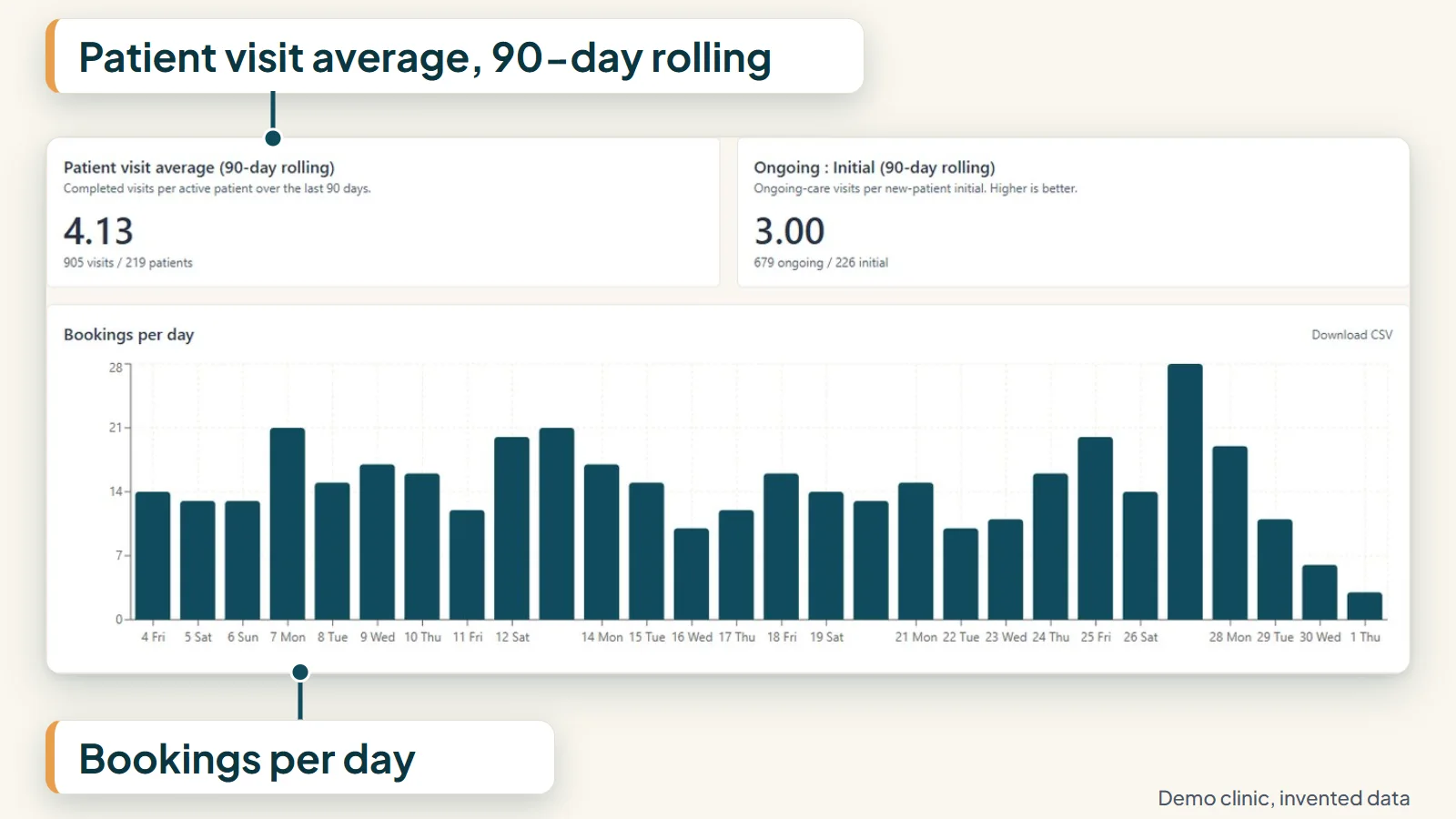
Owners and practice managers get a reports page, filterable by date and clinician. It covers no-show rate, revenue per visit, patient visit average (completed visits per patient over the last 90 days), new patients, lapsed patients, retention and recall reactivation, so you can see where the week went.
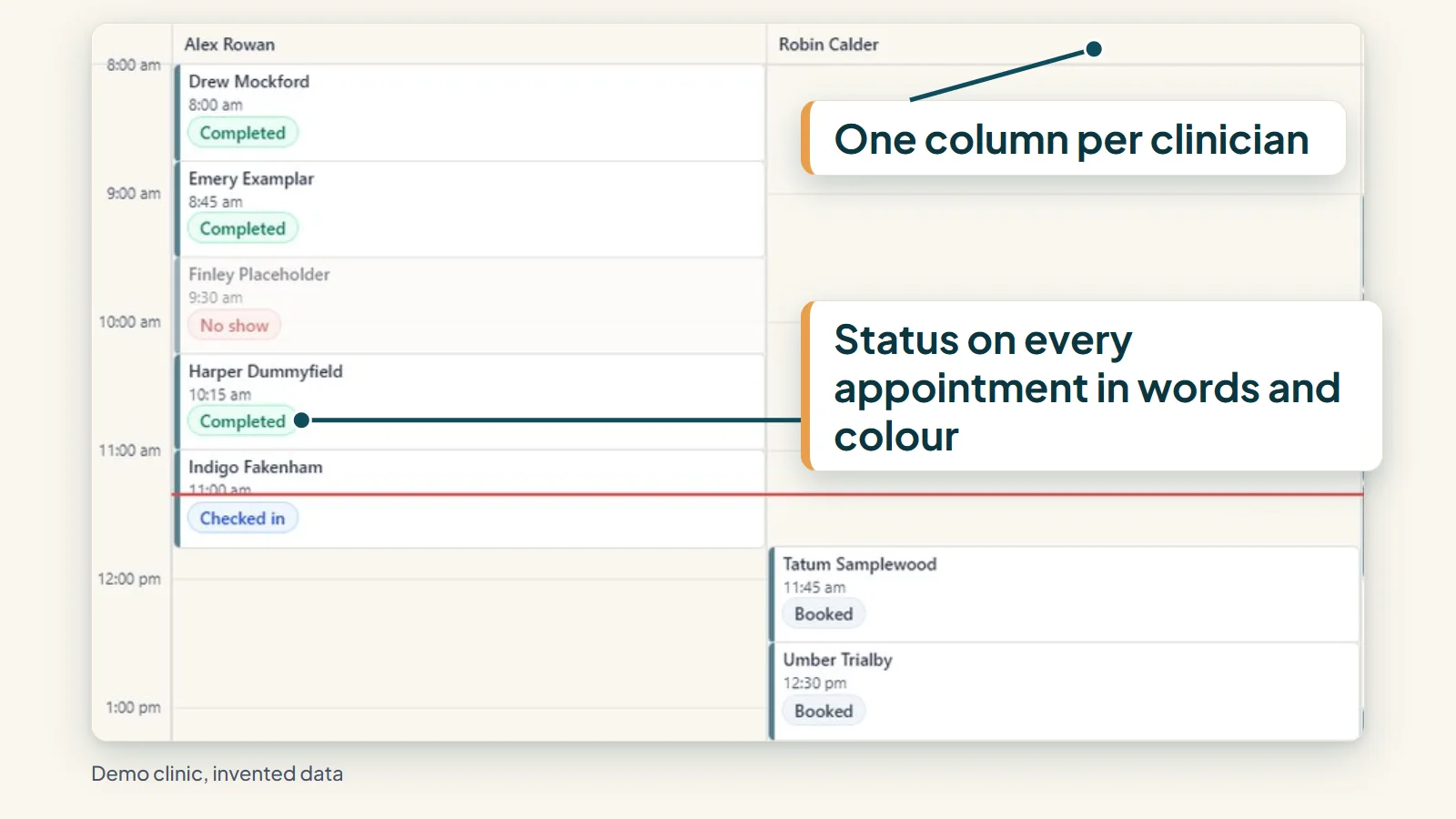
Underneath is the day-to-day practice system: a schedule grid for each clinician, weekly rosters with clash warnings, and each clinic’s data separated at the database level. See all features or read how it works.
AI scribe
An AI scribe for clinical notes
The pilot includes an AI scribe that drafts clinical notes for the clinician to review and sign, in the pilot release, not yet generally available.
Praxia was built with a working clinic, starting with its own pilot practice. It is being piloted with Evolution Medical Care, a clinic run by Praxia’s founders, and is being onboarded to it now. We say that up front because you should know who is piloting the software, and who built it.
Some parts are further along than others. Recall and reactivation, private health fund claiming and card payments at the front desk are part of the pilot product. Appointment reminders by SMS and email are being built. We would rather tell you that now than have you find out in month two. The full list is on the product status page.
Medicare, DVA and NDIS claiming are in scope for the platform but not part of the early pilot release. They may arrive during the pilot or, more likely, before commercial release, so tell us if they matter to your clinic.
Praxia Clinical Solutions is an Australian company, currently in incorporation.
Moving from another system, without losing your Monday
Switching practice management software is stressful because the diary cannot stop. Our approach is operator-led: a Praxia operator runs a guided set-up session with you.
If you use Cliniko, Nookal or another system that can export your patient list and appointment history to a spreadsheet, we will look at the file with you and tell you plainly what would carry across. For clinics moving from Ovatu, we have also written tooling that can load patients, visit history and last attended date, check counts and fields afterwards, and keep messaging off until those checks pass. It has been rehearsed on sample data and has not yet been run for an outside clinic.
Each clinic’s records are kept isolated from every other clinic’s. Daily automated, encrypted, off-host backups. Data is encrypted in transit and at rest.
Some service providers we use are overseas, and each is disclosed in our privacy policy. We would rather name that than hide it behind a slogan.
Each clinic’s data is separated from every other clinic’s at the database level.
Access is role based, and staff sign-ins and patient links expire automatically.
Every drafted GP letter is reviewed and approved by a clinician before it is sent, and notes cannot be signed off until your clinic’s rules are met. The software does the typing. The clinician makes the call.
Common questions
Is Praxia in use at clinics now?
Praxia is being piloted with Evolution Medical Care, a clinic run by Praxia’s founders, and is being onboarded to it now. We do not yet have customers or case studies to point to, and we will not invent any.
What does Praxia cost?
Praxia is priced per practitioner per month in Australian dollars, excluding GST: A$199 for a solo practitioner, A$159 for 2 to 4, A$119 for 5 to 10 and A$89 for 11 to 20, with 21 or more on application. The full table is on the pricing page.
Can I move my clinic across from another system?
It depends on the system you are leaving. We have written tooling for clinics leaving Ovatu, rehearsed on sample data and not yet run for an outside clinic, and we will tell you honestly what we can carry across for any other system. See switching.
Where can I learn more before talking to anyone?
Our guides cover switching, records and clinic admin in plain language, and how it works walks through a typical week.
Request a walkthrough
A short, no-pressure look at Praxia, built around how your clinic runs. Tell us a little about your clinic below. We will reply to arrange a time.
Please leave out any patient information. How we handle your details is set out in our privacy policy.