
Reports a practice owner can actually use
Less admin. More clinic. You should not need a spreadsheet and an afternoon to see how the clinic is going. Praxia gives owners and practice managers a reports page built from the visits and bookings already in the system.
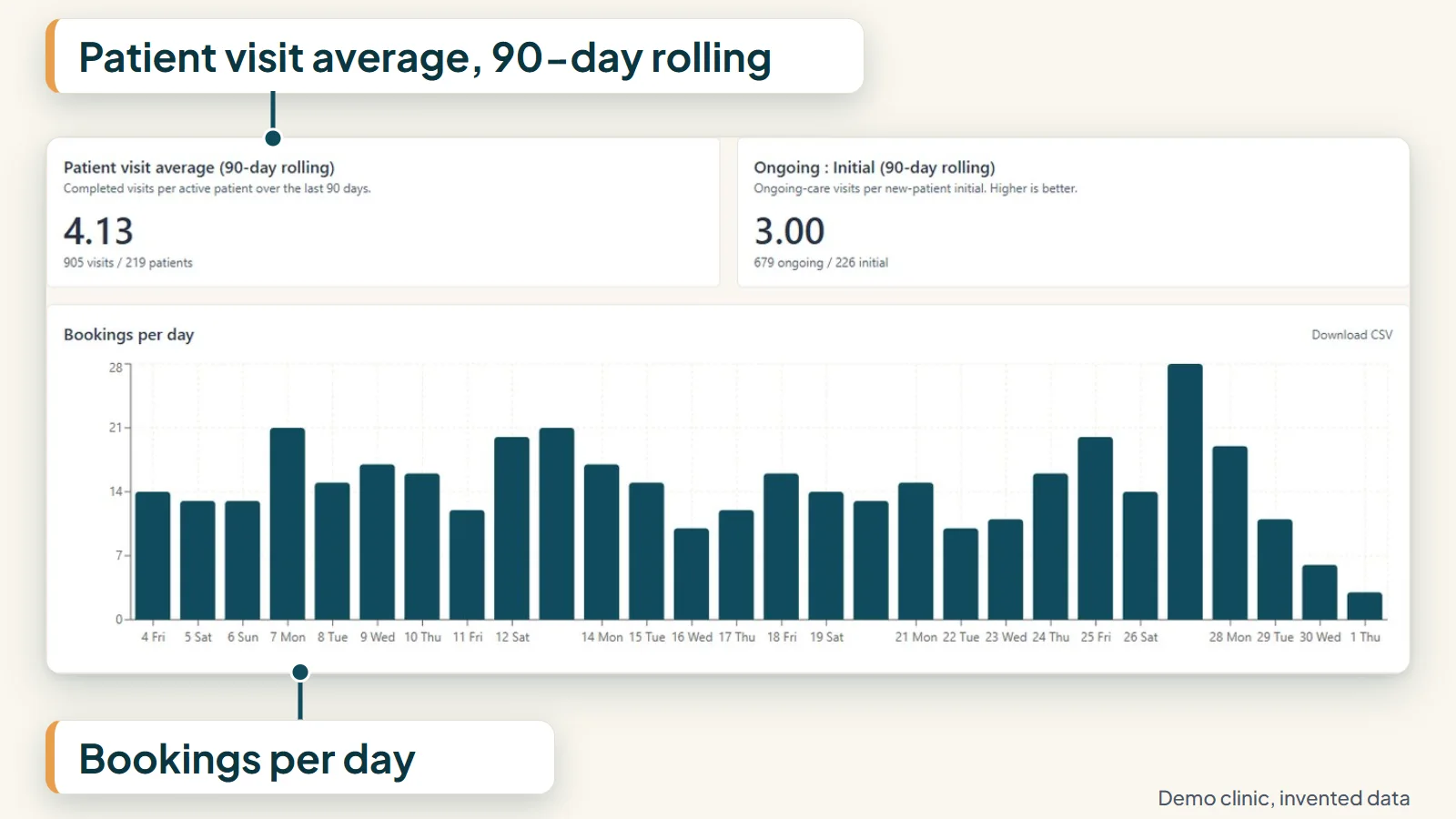
What the reports page covers
The reports page covers nine measures, and you can filter all of them by date and by clinician.
- Bookings per day
- No-show rate
- Revenue per visit
- New patients
- Visit types
- Lapsed patients
- Visits per patient
- Retention
- Recall reactivation
These are plain practice-owner questions. How busy were we? How many people did not turn up? Who are we adding, and who have we lost touch with? They are the same questions an owner already asks, answered from one place.
Filter by date and by clinician
Pick the period you care about and, if you want, a single clinician. The same filter applies to every measure on the page, so the numbers you compare are for the same period and the same people.
That makes the common questions quick to answer. How did last month compare with this one? What does one clinician’s diary look like next to the clinic as a whole? You do not rebuild the report each time.
Lapsed patients and recall
Two of the measures sit next to the work that happens between appointments. Patients whose visits stop are grouped into recall cohorts by time since they last attended, using rules your clinic sets.
The reports page shows lapsed patients and recall reactivation alongside your bookings. An attrition log then shows staff which lapsed patients need a personal call, with the reason recorded.
Recall and reactivation are part of the pilot product, so reports for those measures fill as clinics use them.
Who sees them
Reports are for management roles. Owners and practice managers get the reports page; it is not open to every member of staff.
Access in Praxia is role based, and each clinic’s data is separated from every other clinic’s at the database level.
Taking the numbers out
Owners often want a figure for a meeting, an accountant or a partner. We have not claimed any export from the reports page on this site yet, so if you need numbers in a spreadsheet, ask us during a walkthrough and we will show you what is available today.
What we can say is that the measures are defined in plain terms. Bookings per day is a count of bookings. No-show rate is the share of bookings where the patient did not attend. Revenue per visit is takings divided by visits. If a number surprises you, you can ask what sits behind it.
Who the reports are for
A solo practitioner who owns the clinic, an owner with a practice manager, and a manager running a few clinicians will all open the same page. The clinician filter means a manager can look at one diary without losing sight of the whole clinic.
They are not a replacement for clinical judgement or for your accountant. They are one place to answer the questions owners ask most often, from records that are already in the system.
An honest note on where this stands
The reports page is built. Praxia is a pilot with Evolution Medical Care, a clinic run by Praxia’s founders, and is being onboarded there now.
A new clinic’s reports start empty and fill as visits and bookings are recorded. We have no results to show you, and we do not publish figures from other clinics. Praxia does not compare your clinic with any other, so you will not see benchmarks.
See how reports sit with the rest of the system on the features page, or read about how it works.
Questions clinics ask
Who can see the reports?
Owners and practice managers. Reports are limited to management roles.
Can I look at one clinician at a time?
Yes. Reports can be filtered by date and by clinician.
Do the reports compare my clinic with others?
No. There is no benchmarking against other clinics.
What will I see on my first day?
An empty page. Reports fill as visits and bookings are recorded, so a clinic that has just switched will see them build up over its first weeks.
Will it tell me I am doing better than before?
It will show you your own numbers for the period you choose. We do not make claims about what Praxia will do to your no-show rate or your bookings.
Request a walkthrough
If you want to see the reports page working, request a walkthrough and tell us which numbers you look at today.
Praxia is working with a pilot clinic, so we will tell you honestly whether it fits yet. We will reply to arrange a time.
Please leave out any patient information. How we handle your details is set out in our privacy policy.
Not ready to talk? Join early access and we will keep you posted.