
Features
Features aimed at the places where clinics can lose revenue
Each area below targets a place where clinics can lose revenue: empty slots, lapsed patients, slow paperwork, claims and payment friction, and an owner with no clear view. Each one says what is built and where we are still switching things on.
Not ready to talk? Join early access or see the product tour.
Five jobs every clinic repeats, and how Praxia helps with each
A clinic earns through a handful of repeating jobs: filling the diary, writing the note, getting paid, bringing people back, knowing how the month went. Praxia was built with a working clinic to cover each of them, and a clinician stays in charge of every AI draft. We make no promises about results, because we have no outcome data yet. What we can do is show you the mechanism behind each feature. Pick the area you care about most.

Scheduling
Scheduling, rostering and waitlist backfill
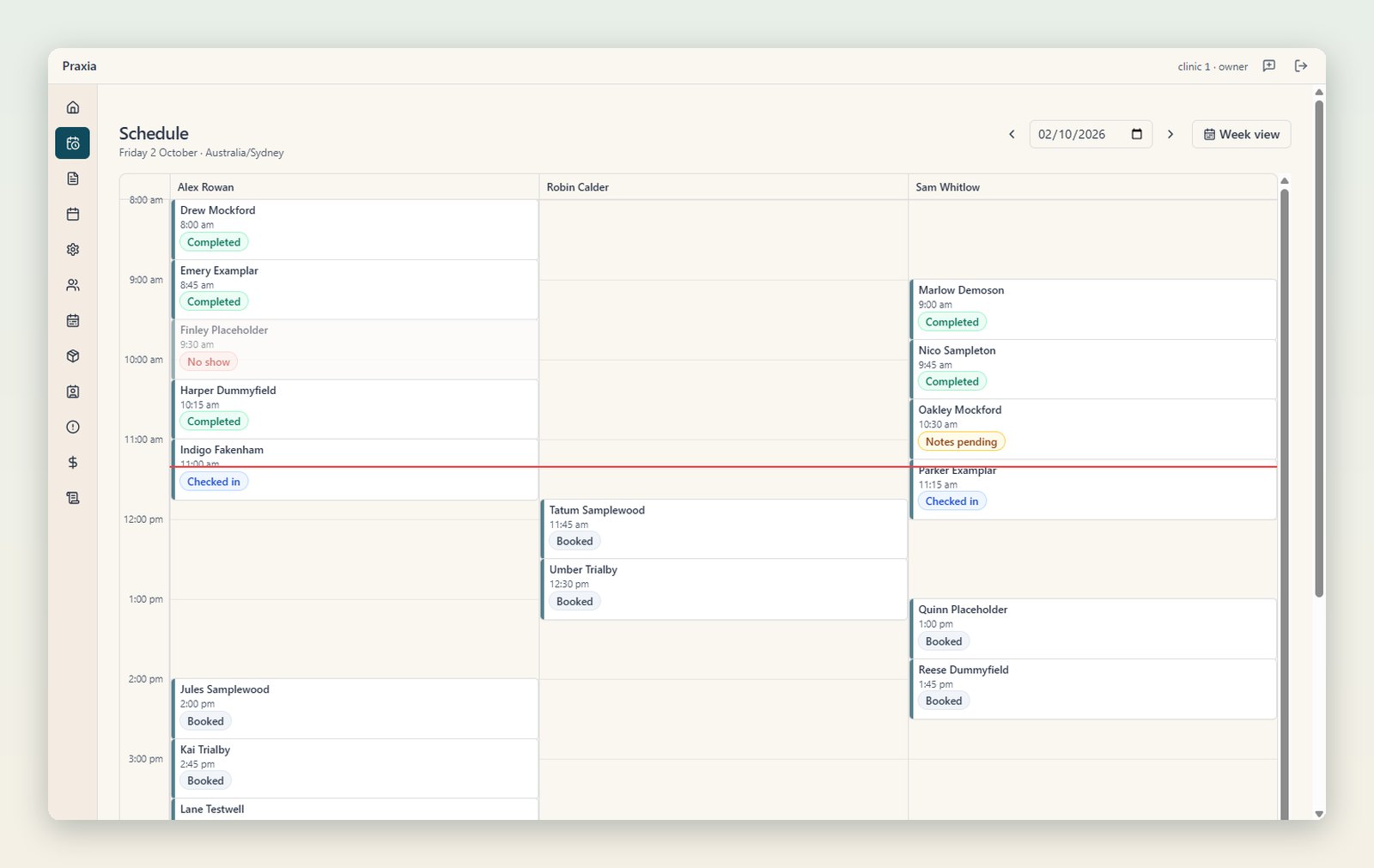
See each clinician’s day and week as a schedule grid, with appointment statuses in words and colour. Set rosters by week, copy them forward, and have clashes flagged before they become double bookings.
Appointments booked on your clinic’s calendars flow into Praxia as visit records, and cancellations and reschedules sync. A cancelled slot is revenue a clinic can leave uncollected, so Praxia can offer the freed-up slot to patients on your waitlist. This is part of the pilot product, and offers run when a cancellation opens a slot.
Clinical notes
Clinical notes, intake and GP letters
Write visit notes in SOAP sections that autosave, warn on edit conflicts and keep an edit history. A note cannot be signed off until your clinic’s rules are met. Patients can complete intake forms online before they arrive, and the answers land in their record.
Letters to GPs are the paperwork that waits at the bottom of the pile. Praxia can draft a first-pass referral or discharge letter, so the clinician reviews instead of typing, and a clinician approves every draft before anything is sent.
The pilot includes an AI scribe that drafts clinical notes for the clinician to review and sign. A clinician must review every draft before it can become the record. It is in the pilot release and is not yet generally available.

Communication
Patient communication and recall
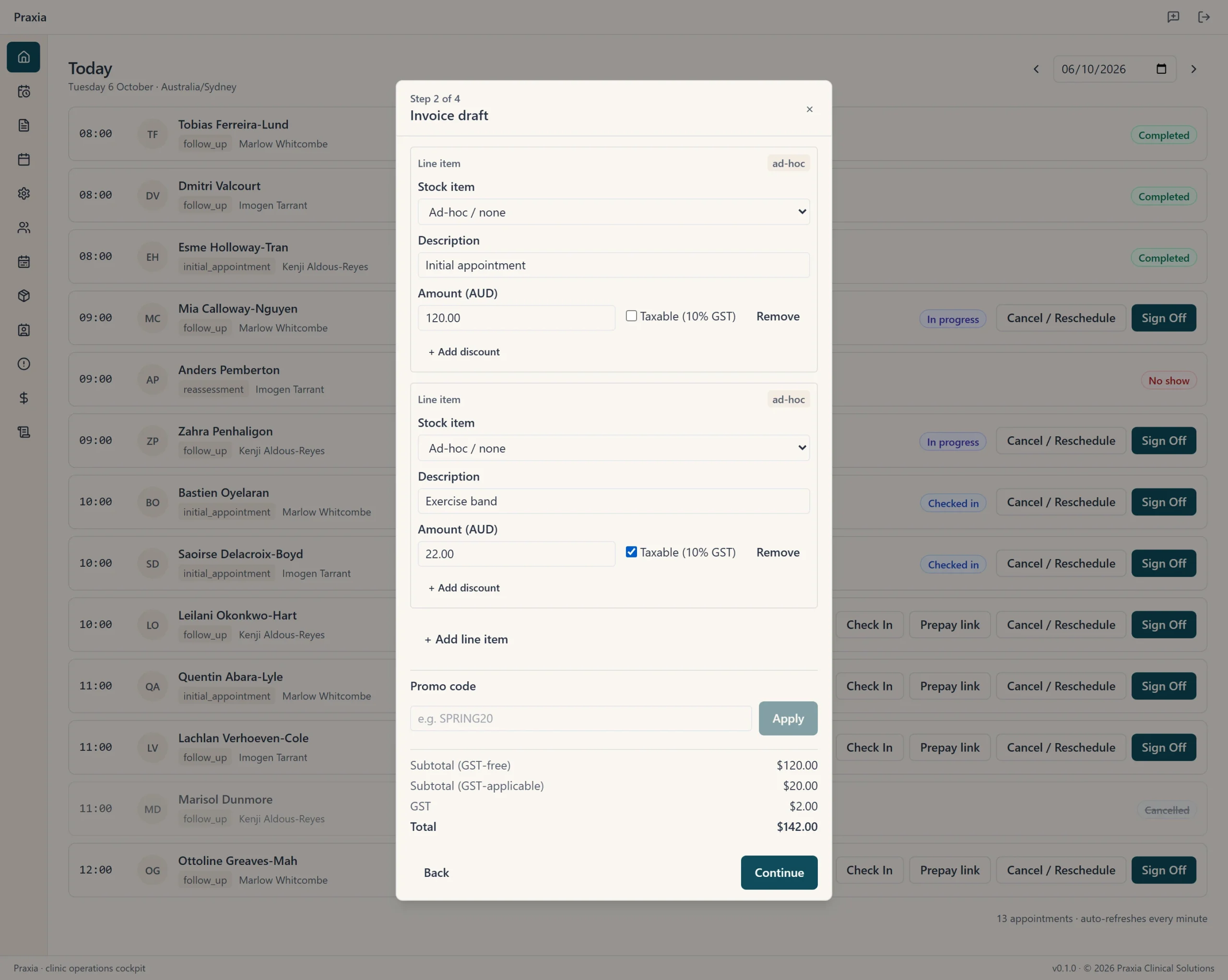
Patients whose visits stop are grouped into recall cohorts by time since last attended, using rules your clinic sets. An attrition log shows staff which lapsed patients need a personal call, with the reason recorded.
Patients can set their own communication preferences, and Praxia records their opt-outs. Patients who stop coming are people your clinic already knows, which makes follow-up a sensible place to start. Recall and reactivation messaging is part of the pilot product and is set up clinic by clinic after checking who it would reach, and appointment reminders by SMS and email are being built.
Payments
Payments, claiming and billing
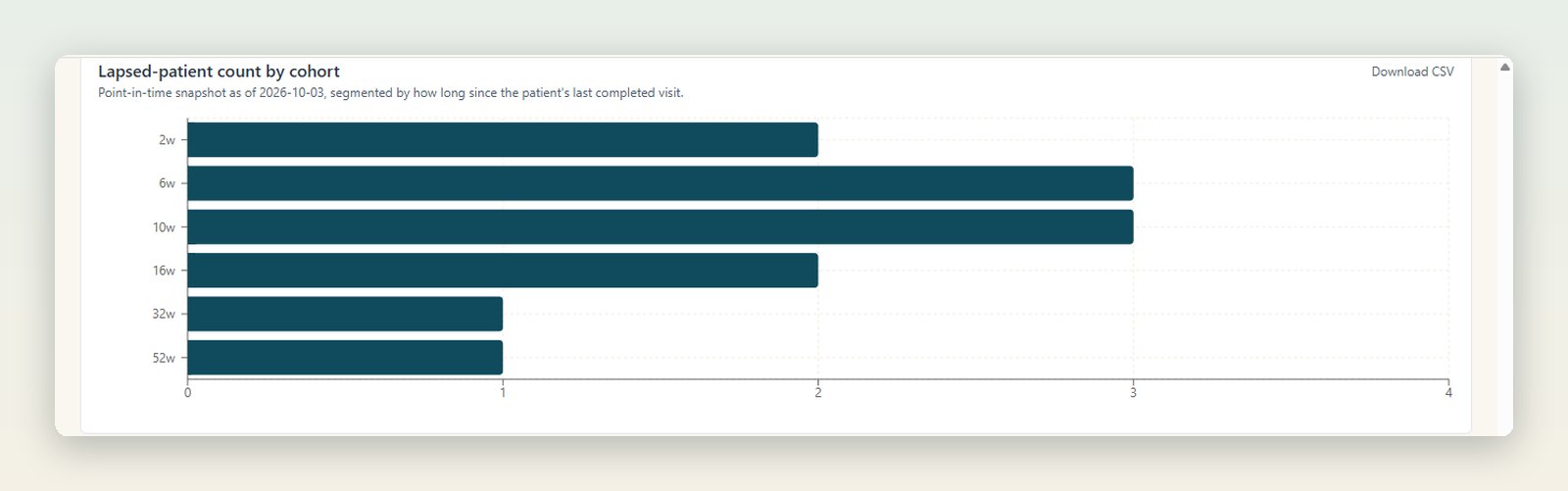
Private health fund claiming through Tyro Health is part of the pilot product. It has been built and run end to end on Tyro’s staging environment. Card payments at the front desk through Tyro Health are part of the pilot product too. See where payments and claiming stand.
Medicare, DVA and NDIS claiming are in scope for the platform but not part of the early pilot release. They may arrive during the pilot or, more likely, before commercial release; tell us if they matter to your clinic.
Staff can record cash, bank transfer and external EFTPOS payments against an invoice.
Reporting
Reporting and KPIs
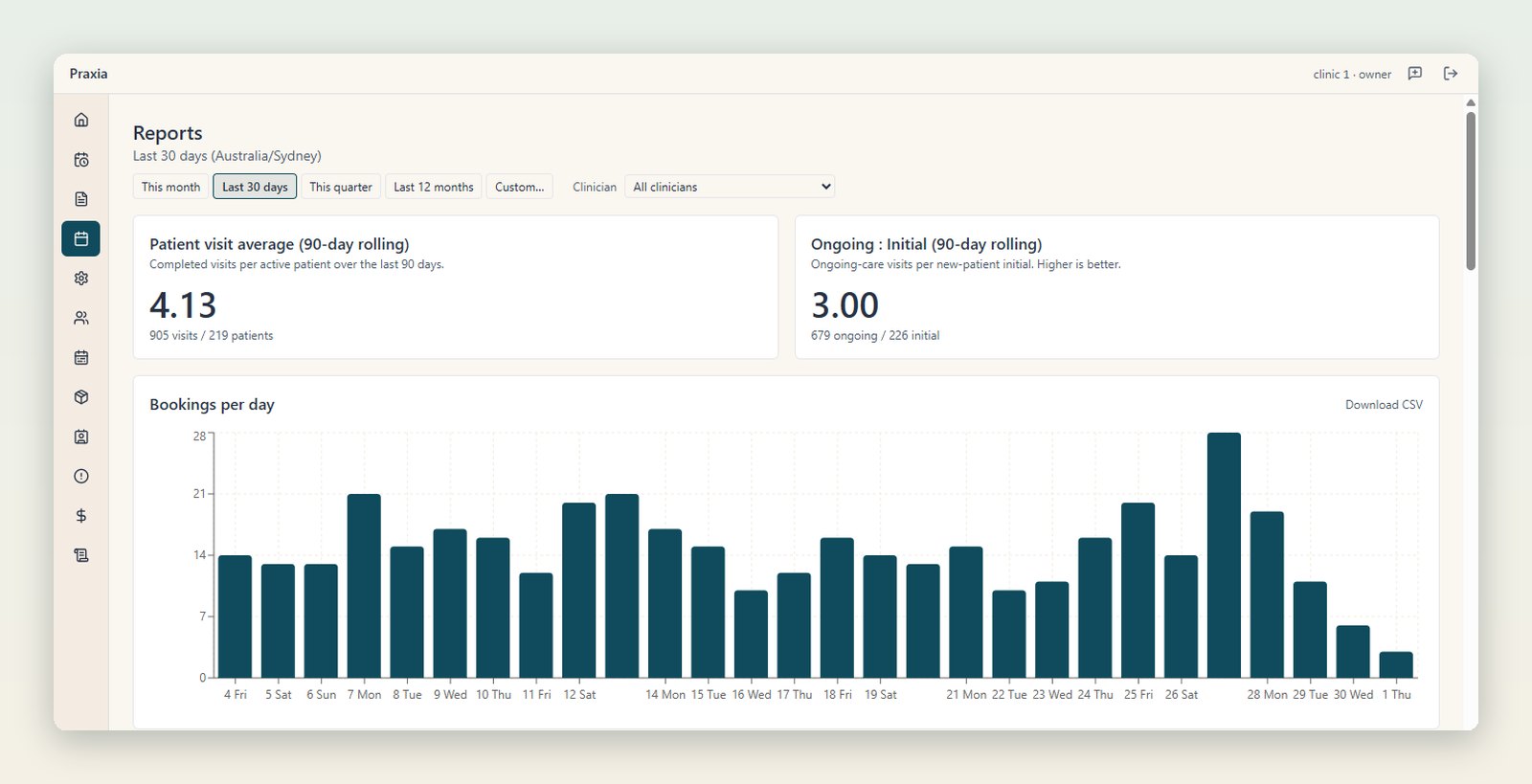
Owners and practice managers get a reports page, filterable by date and clinician. It covers bookings per day, no-show rate, revenue per visit, new patients, visit types, lapsed patients, visits per patient, retention and recall reactivation.
That gives an owner a view of how bookings, new patients and revenue per visit move by clinician and by period, and how many patients are slipping away. Reports are visible to management roles only.
Security
Security, privacy and data residency
Praxia’s application, clinical records database and backups run in Sydney, Australia. Some services we rely on are overseas, including our CRM and booking platform, video consults and error monitoring, and we disclose each in our privacy policy under APP 8.
Each clinic’s data is separated from every other clinic’s at the database level, access is role based, and Praxia keeps an audit trail of key actions.

Where each part stands
What is built, and what is part of the pilot product
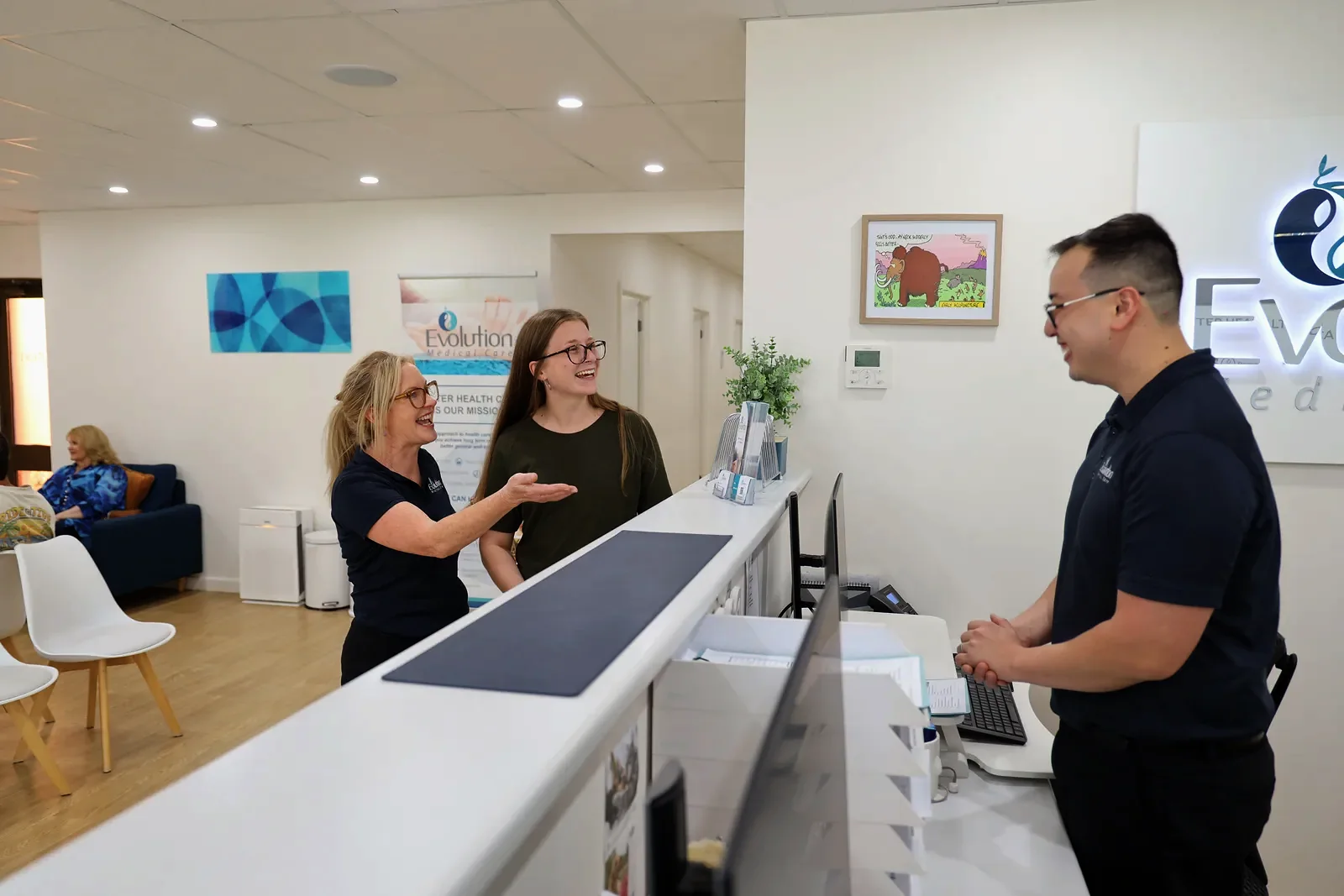
Praxia is being piloted with Evolution Medical Care, a clinic run by Praxia’s founders, and is being onboarded to it now. That means the product is built to a real clinic’s needs.
- In the pilot: the AI scribe, which drafts clinical notes for the clinician to review and sign. Built: schedule grid, rosters, notes, intake forms, recall cohorts, attrition log, owner reports, role-based access.
- Recall cohorts and the attrition log are built. Recall and reactivation messaging is set up clinic by clinic in the pilot. Being built: appointment reminders by SMS and email, with templates and live sending not yet switched on.
- Part of the pilot product: waitlist offers for cancelled slots. Built, being onboarded with a pilot clinic: clinician-approved GP letters.
- Part of the pilot product, and run end to end on Tyro’s staging environment: private health fund rebate claiming through Tyro Health. Card payments at the front desk through Tyro Health are part of the pilot product too.
To see the product itself, take the product tour, with real screens from an invented demo clinic. Moving from another system? Read how switching works, or see how it works from first call to first week. For pricing, see the price list. Background on the team is on the about page, and our guides go deeper.
Common questions
Do I need to replace everything at once?
We plan the switch with you during onboarding rather than flipping a switch on day one. A Praxia operator runs a guided set-up session.
Who can see the reports?
Owners and practice managers. Reports are limited to management roles.
Does a clinician check anything the software drafts?
Yes. A clinician reviews and approves every drafted referral or discharge letter before anything is sent.
Does Praxia handle Medicare, DVA or NDIS claims?
Not in the early pilot release. They are in scope for the platform, and may arrive during the pilot or, more likely, before commercial release. Tell us if they matter to your clinic.
What does it cost?
Praxia is priced per practitioner per month in Australian dollars, excluding GST: A$199 for a solo practitioner, A$159 for 2 to 4, A$119 for 5 to 10 and A$89 for 11 to 20, with 21 or more on application. The full price list is on the pricing page.
Request a walkthrough
See the areas above on a short, no-pressure call built around your clinic. Praxia is working with a pilot clinic, so we will tell you honestly whether it fits yet. We will reply to arrange a time.
Please leave out any patient information. How we handle your details is set out in our privacy policy.
Not ready yet? Join early access.